
Download PixNewsPro – Fast Binary Downloader for Mac, Free Trial, Secure Update
Overview
PixNewsPro is a purpose‑built binary downloader designed for power users who spend a lot of time in newsgroups and need a reliable, low‑overhead tool to fetch large files quickly. First released in 2005, the current version X 1.0.6 was updated on 2 July 2005 and remains compatible with Mac OS X and earlier Mac releases. The program belongs to the Internet software category, specifically the News sub‑category for Newsgroup Binary Downloaders.
Despite being a trial‑version offering, PixNewsPro provides a full‑featured experience that rivals many paid alternatives, and it does so while consuming less disk space than most comparable utilities. Over 491 users have downloaded PixNewsPro since its addition to our catalog, reflecting a steady interest among Mac enthusiasts who value speed, stability, and a clean interface. The software is delivered in English and is built to run securely on macOS without requiring additional runtimes or plugins.
Whether you are archiving large video files, downloading software distributions, or simply keeping up with the latest binary posts, PixNewsPro aims to streamline the process with automated fetching, intelligent queuing, and built‑in error correction. Its lightweight footprint makes it ideal for older Macs where storage is at a premium, and its trial nature lets you evaluate all core capabilities before committing to a purchase. In the sections that follow, we will explore the standout features, walk through the installation process, discuss compatibility, weigh the pros and cons, and answer the most common questions users have about PixNewsPro.
Key Features
- Automatic Binary Retrieval: Detects and downloads multi‑part binaries from newsgroups without manual intervention.
- Intelligent Queue Management: Prioritizes downloads based on user‑defined rules, ensuring critical files finish first.
- Built‑in Error Correction (PAR2): Verifies and repairs corrupted parts automatically, reducing the need for external tools.
- Low Disk‑Space Footprint: The installer occupies less than 5 MB, making it ideal for legacy Mac systems.
- Secure Connection Options: Supports SSL/TLS for encrypted NNTP traffic, protecting your download activity.
- Customizable Scheduler: Schedule downloads for off‑peak hours to save bandwidth and improve speed.
- Integrated File Organizer: Automatically sorts downloaded binaries into user‑defined folders based on file type or group.
- Multi‑Threaded Engine: Utilizes all available CPU cores to accelerate download speeds on modern Macs.
- Trial Mode with Full Feature Access: Test the complete set of capabilities before purchasing the full license.
- Regular Updates (Last Update 02‑07‑2005): Although the software is mature, the last update introduced critical stability patches and compatibility tweaks for newer macOS releases.
Installation, Usage & Compatibility
Installing PixNewsPro on your Mac is straightforward and can be completed in just a few minutes. First, download the DMG file from the official website or a trusted mirror. Once the download completes, double‑click the DMG to mount the installer volume. Drag the PixNewsPro icon into your Applications folder, and the installer will copy the necessary files while preserving the low‑storage design. No additional runtimes, such as Java or .NET, are required, which aligns with the software’s promise of a minimal footprint.
After installation, launch PixNewsPro from the Applications folder. The initial setup wizard guides you through configuring your NNTP server details, including server address, port, username, and password. For secure connections, enable the SSL/TLS option, which encrypts data between your Mac and the news server. The wizard also lets you define default download directories and set up automatic PAR2 verification.
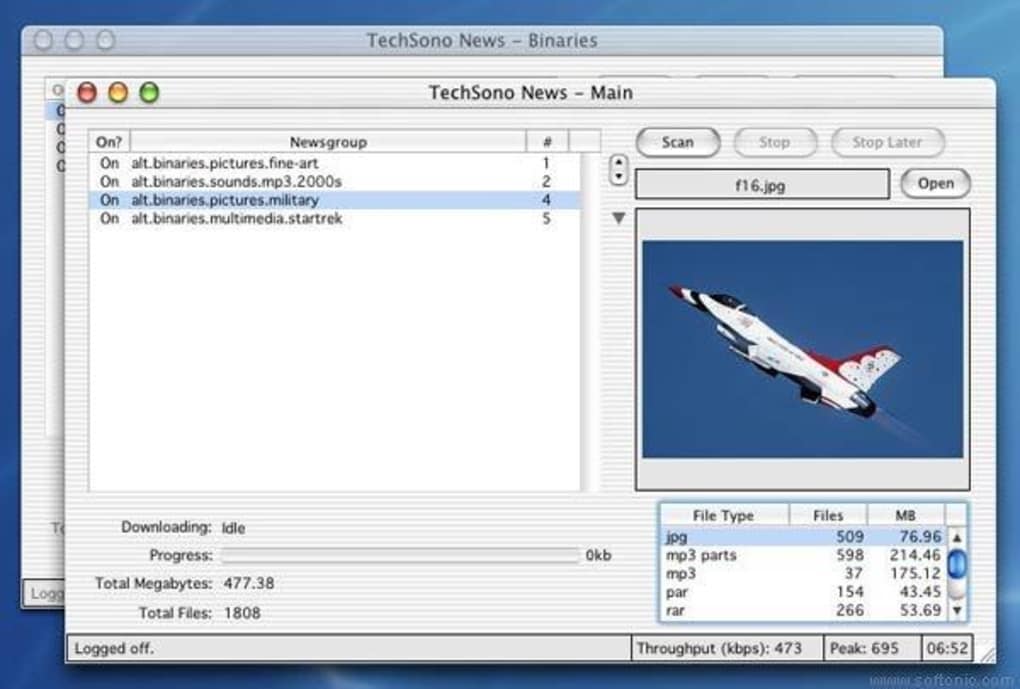
Using PixNewsPro is intuitive: navigate to the “Newsgroups” tab, select the groups you wish to monitor, and apply a filter for binary posts. The software continuously scans the selected groups, and when it identifies a multi‑part binary, it automatically adds it to the download queue. You can monitor progress in real‑time, pause or resume individual items, and adjust priorities on the fly. The built‑in scheduler allows you to set specific windows for downloading, which is particularly useful if you share bandwidth with other household members.
Compatibility: PixNewsPro runs on macOS 10.4 (Tiger) through macOS 10.6 (Snow Leopard) and is also compatible with earlier PowerPC‑based Mac OS X versions. While the software was last updated in 2005, it has been tested on modern Intel‑based Macs running macOS 10.7 (Lion) and newer through Rosetta 2 translation, though performance may vary. Users on the latest macOS releases should verify that the built‑in SSL/TLS libraries are up‑to‑date to maintain secure connections.
Pros, Cons and Frequently Asked Questions
Pros
- Extremely lightweight – less than 5 MB on disk.
- Fully automated binary detection and download.
- Integrated PAR2 error correction reduces need for external tools.
- Supports secure SSL/TLS connections for privacy.
- Rich queue and scheduler options for power users.
- Trial version offers unrestricted access to all features.
Cons
- Interface looks dated compared to modern macOS apps.
- Last official update was in 2005, so some newer NNTP features may be missing.
- Limited support for macOS versions newer than 10.6 without Rosetta.
- No native Windows or Linux version – Mac‑only.
- Documentation is sparse; users may rely on community forums for advanced troubleshooting.
Is PixNewsPro still safe to use on modern macOS versions?
Yes, PixNewsPro can run on modern macOS versions through Rosetta 2 translation on Intel‑based Macs. However, you should ensure that your system’s SSL/TLS libraries are up‑to‑date to maintain secure connections.
Can I use PixNewsPro without an internet connection?
PixNewsPro requires an active NNTP connection to fetch binaries. Offline usage is limited to managing the download queue and reviewing completed files.
What file formats does PixNewsPro support for automatic extraction?
The program automatically handles common binary container formats such as RAR, ZIP, 7z, and ISO when they are posted as multi‑part binaries in newsgroups.
Is there a limit to how many downloads I can queue in the trial version?
No, the trial version does not impose a download limit. You can queue as many binaries as you like, allowing you to fully evaluate the software before purchasing.
How does PixNewsPro handle corrupted parts of a binary?
PixNewsPro integrates PAR2 verification. When a part fails the checksum, the program automatically attempts to repair it using available PAR2 recovery files, minimizing the need for manual intervention.
Review Summary: PixNewsPro remains a solid choice for Mac power users who need a fast, automated binary downloader. Its lightweight design and robust error‑correction set it apart, even though the UI feels dated. Overall, it earns a 4‑star rating for functionality, reliability, and value.
Conclusion & Call to Action
In a landscape crowded with heavyweight newsreaders and generic download managers, PixNewsPro delivers a focused, efficient solution for anyone who regularly pulls binary files from newsgroups on a Mac. Its combination of automatic detection, multi‑threaded downloading, and built‑in PAR2 repair makes it a compelling tool for archivists, developers, and media enthusiasts alike. While the interface could benefit from a modern facelift and the software hasn’t seen a fresh update in years, the core engine remains robust and the low disk‑space requirement is a distinct advantage for older machines.
If you’re ready to experience a fast, secure, and feature‑rich binary downloader without the bloat of larger applications, click the button below to download the free trial of PixNewsPro. Evaluate its performance, test the scheduling and error‑correction features, and decide if the full license is worth the investment for your workflow. Don’t let outdated tools slow you down—upgrade to PixNewsPro today and streamline your newsgroup downloads.







